

We've added a lot of new features related to tags tab. Let's go through them:
New "List View" display mode
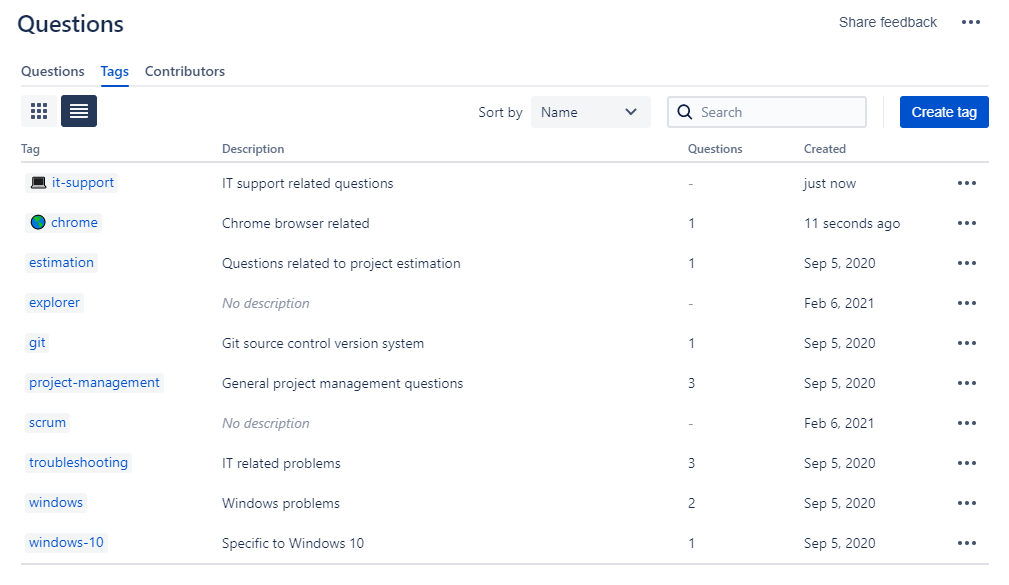
You can now switch between "tiles" and "list" mode on tags tab. List view is handy when you need to see more details. This is how it looks:
Searching tags
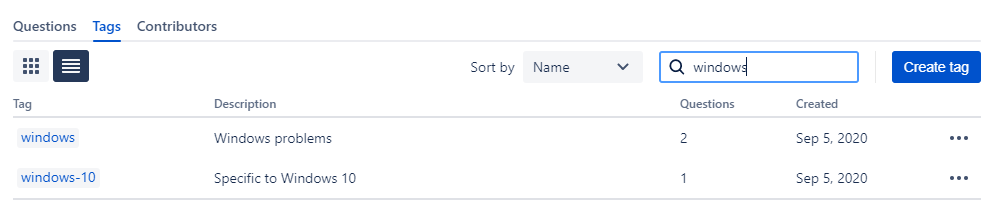
Searching tags is very handy if you have a lot of them. Search looks for tags with similar name to the search phrase you have typed. Here is example of how searching works:
Sorting tags
We added also ability to sort tags in three different ways:
- Sorting by tag name: default option, this is how tags were always sorted,
- Sorting by newly added: tags that were recently added will show up at the top,
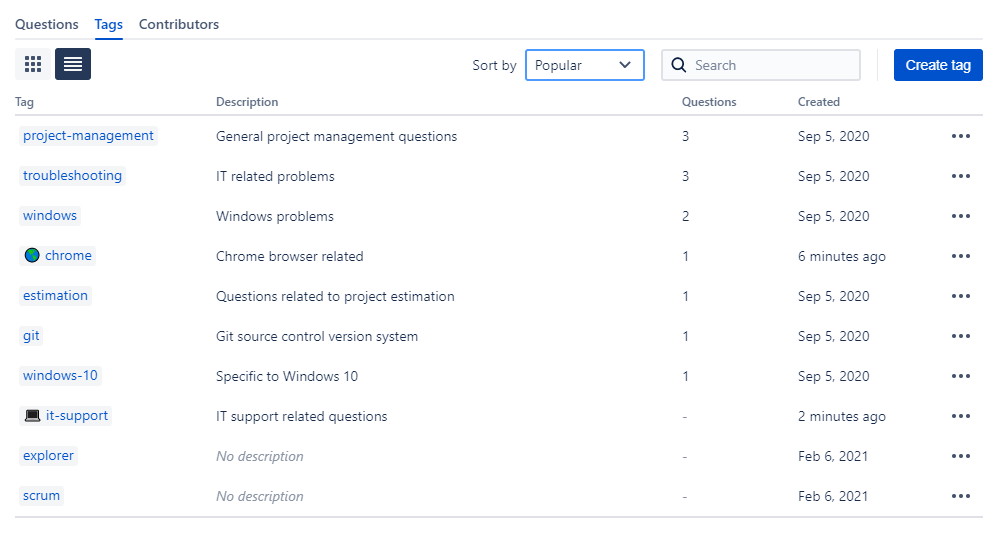
- Sorting by popularity: tags connected to most questions will show up at the top.
Here is example of how sorting by popularity works:
Support for Emojis in tags names
You can now add emojis to tag names! Screenshot below shows you how they are displayed. Useful links for you:
- List of emojis that you can copy paste,
- If you want to have space between emoji and the rest of tag name, then you can use "non breaking space" character. You can copy paste this from this website.
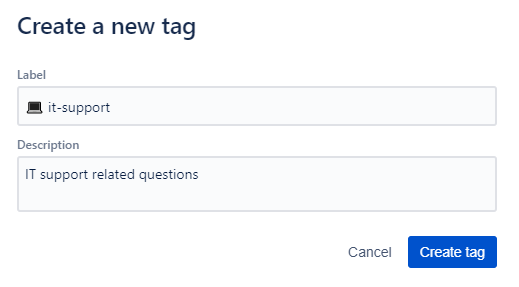
Just bear in mind that sorting by title will show tags with emojis first.