
Build custom Notion and Discord workflows with NotiCord Automations
 Lukasz Wiatrak
A Notion update does not always need another notification. Sometimes it should open a Discord thread, add the right people, create a follow-up page, or send a focused message to a channel.
NotiCord Automations is a new top-level area for building those custom workflows. Start with an event in Notion or Discord, add only the conditions you need, then arrange the actions in the order they should run.
Start with what happened
An Automation can begin with activity in either product.
Notion events cover pages or database items being created, updated, or deleted, plus safe comment-created workflows. You can watch all shared pages, one database, or one page tree. Database update events can also react only when selected properties change.
Discord events cover new messages in a selected channel or thread, new threads under a channel, and new channels under a category. Optional conditions can narrow a workflow by author, member, role, text, attachment, link, or mention where the selected event supports them.
Build the actions your team needs
Actions are explicit, ordered, and reusable. An Automation can:
- Create or reuse a Discord channel or thread.
- Add selected people or roles to a Discord destination.
- Create a Notion page under a selected page or database.
- Add a read-only Discord channel or thread embed to a Notion page.
- Send a plain Discord message using values from the event or an earlier action.
The variable picker supplies available page, message, channel, thread, and previous-action values, so you do not need to memorize placeholder names.
Reuse results instead of creating duplicates
Resource actions remember what they created for each source item and action. If the same item is handled again, NotiCord can reuse the existing Discord channel, thread, or Notion page instead of creating another one. It also skips a Discord embed when that channel or thread is already embedded on the same Notion page.
An Automation does not react to events it created itself, which keeps one workflow from starting its own loop.
See where every workflow runs
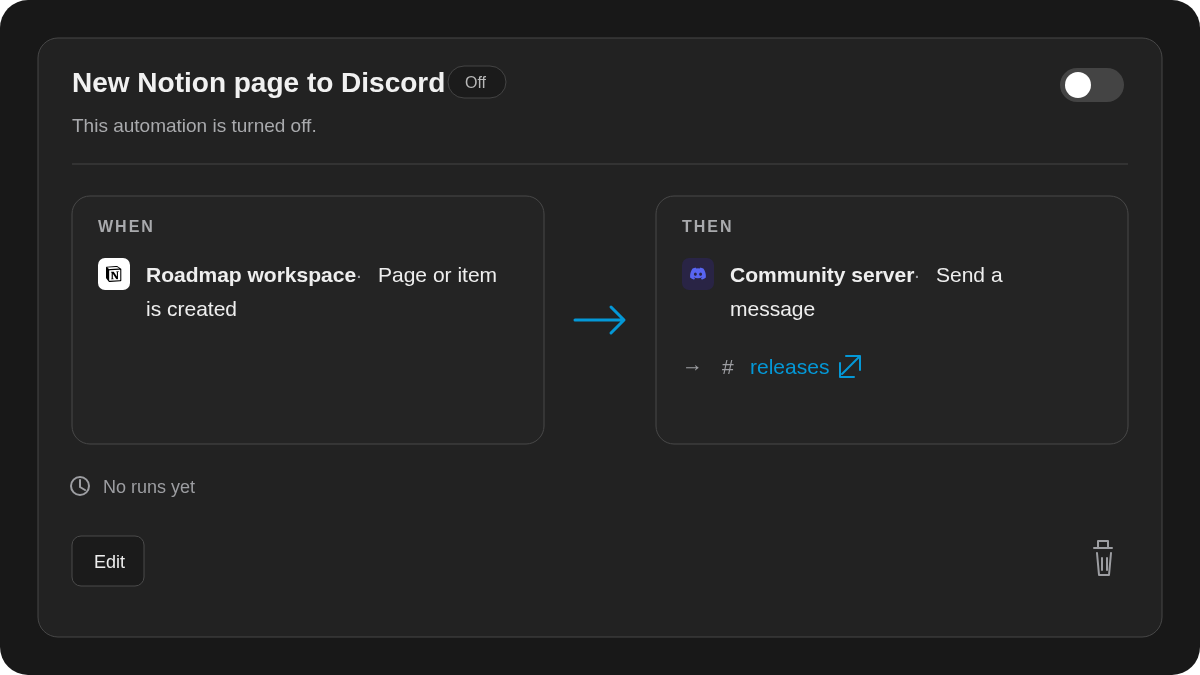
The Automations list presents each workflow as a readable When → Then flow. Automation cards now show their connected Notion workspaces and Discord servers, with direct links to fixed Discord channels and threads. Selected parent categories and channels used by create-or-reuse actions link directly too.
Required Discord targets start with the first compatible choice when they are blank. A valid new Automation turns on after creation, while Save draft keeps unfinished work from running. Health and recent-run information remain on the list when you need to check what happened.
Available now
Automations are included on every NotiCord plan: Solo includes 1, Team includes 3, and Pro includes 10. Saved drafts count toward the same limit.
Open Automations in NotiCord to build your first workflow.