

Community Questions for Confluence is moving to Atlassian Forge.
This release is mostly about the platform underneath the app. The product stays focused on the same job: giving Confluence teams a place to ask questions, answer with context, vote on useful knowledge, accept the best answers, and organize everything with tags.
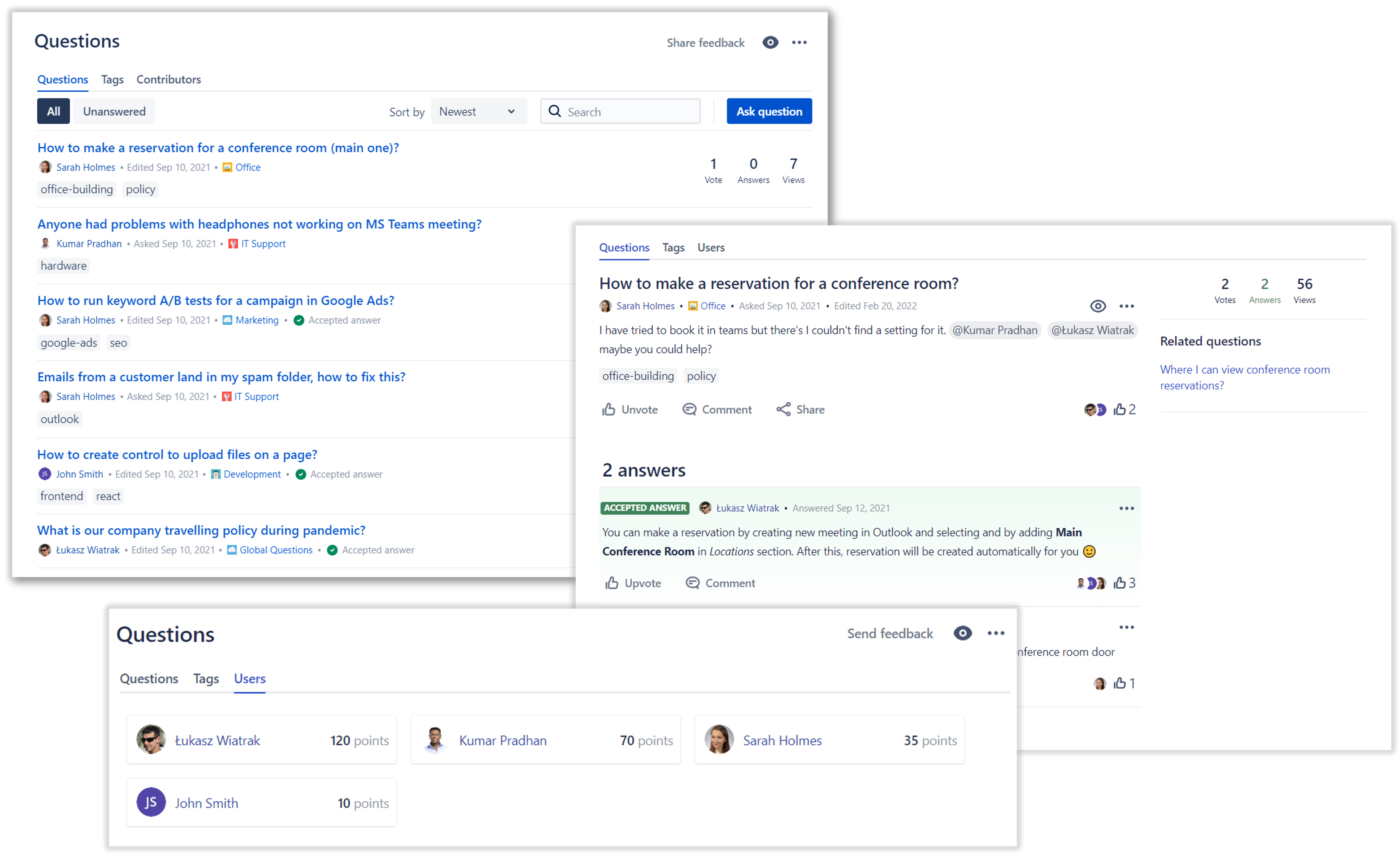
What changes
Community Questions is being published as a Forge successor to the existing Marketplace app. Forge is Atlassian's newer cloud app platform, and this migration keeps Community Questions aligned with Atlassian's direction for Confluence Cloud apps.
For most users, the change should feel quiet. The app still appears in Confluence, the same questions and answers remain available, and the core workflows are unchanged.
What stays the same
Existing sites keep their Community Questions content and configuration:
- questions, answers, comments, accepted answers, votes, tags, and user profiles
- global questions and space questions
- question macros on Confluence pages
- Quick Search & Rovo mirrored pages
- Slack, Microsoft Teams, and Google Chat notification connections
- space and global settings
The goal of this migration is not to redesign the product or remove familiar behavior. It is to move the app onto the Forge platform while preserving the Connect-era experience customers already rely on.
Why this matters
Platform migrations are not always visible, but they matter. Moving to Forge puts Community Questions on the app platform Atlassian is actively investing in, while letting us keep improving the app for Confluence Cloud teams.
It also gives us a cleaner foundation for future improvements around permissions, app lifecycle, Confluence integration, and long-term Marketplace support.
After the update
After your site receives the Forge version, check the areas your team uses most:
- open the global questions page and a space questions page
- create or edit a question and answer
- confirm voting, accepted answers, comments, and tags still behave as expected
- open any Confluence pages that use the Questions macro
- review Slack, Microsoft Teams, or Google Chat notification settings if your spaces use them
- run Quick Search & Rovo indexing if you changed indexing settings recently
If anything looks wrong, contact Firnity support with the Confluence site URL, space key, affected question link, and the action that failed. Those details make it much faster to diagnose whether the problem is permissions, configuration, or a migration-specific edge case.